Affordable Soundproof Booths for Streamers (2026 Selection)
Looking for the best livestream soundproof solutions? Compare affordable $1k booths, professional units, and expert tips. Must-have for 24/7 streaming.
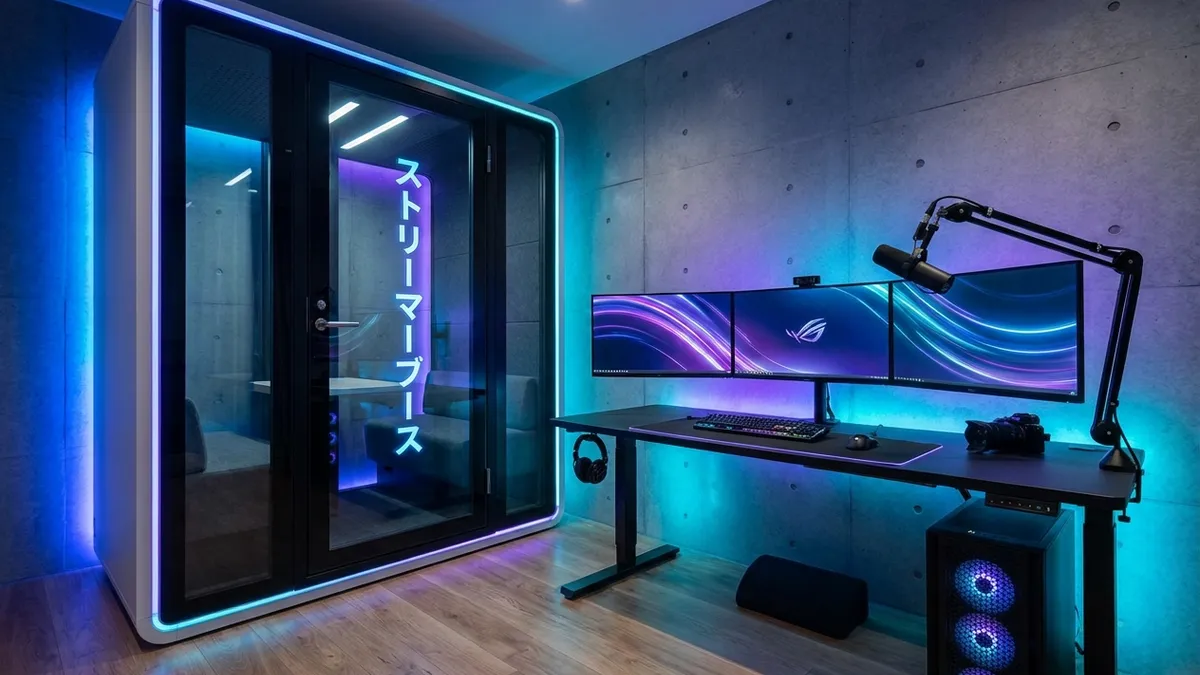
What is the best livestream soundproofing solution? The direct answer is a Dr-35 to Dr-40 rated booth combined with external PC placement to eliminate fan noise and heat. In 2026, you can achieve professional silence for under $1,000 by prioritizing “Acoustic Treatment” over expensive “Isolation Walls.”
Whether you shout while gaming or live in a thin-walled apartment, this guide reveals the most cost-effective way to build a high-performance streaming fortress without breaking the bank.
The “Three Silences” Pursued by Pros
Streaming soundproofing isn’t just about “not leaking sound.” You must manage these three elements:
- Isolation: A physical barrier to keep your shouts away from neighbors and prevent family noises from entering the stream.
- Silence: Complete elimination of “Ambient Noise” (PC fans, AC airflow) that the microphone picks up.
- Acoustics: Controlling internal reflections (flutter echo) to create the crisp, “dry voice” that listeners love.
For streaming, instead of obsessing over perfect isolation (Dr-50+), the most cost-effective strategy is to secure Dr-35 to Dr-40 and focus your budget on acoustics and silence.
Best Entry Solution: The $1k Sweet Spot
While building a room-in-room is expensive, DIY units and modified “entry booths” (like the cardboard or panel types) provide a massive return on investment.
The Modified Entry Booth Setup
By spending your $1,000 budget wisely:
- The Booth: $500–$700 for a basic structure or high-density sound blankets.
- Acoustics: $150 for professional foam panels to kill echo.
- Cooling: $150 for a low-noise ventilation kit or small spot cooler.
This combination allows you to maintain professional audio quality while preventing the room from turning into a 40°C sauna.
Physically Overcoming the “PC Heat” Rival
The first wall a streamer hits inside a soundproof room is “Heat,” not sound. A high-spec gaming PC trapped in an airtight space can reach 40°C in just 30 minutes.
The ultimate solution is “Placing the PC tower outside the booth.” Run fiber-optic HDMI and USB cables through the cable port—bring only your monitors and peripherals inside.
This physically eliminates the biggest source of heat and noise (cooling fans).
If external placement is impossible, use a dedicated spot cooler. However, to prevent sound leaking back through the exhaust duct, specialized fittings (wrapping ducts in soundproof sheets) is essential.
Layout Secrets for Professional Audio
To maximize a narrow space, the basic strategy is “Aerial Combat” (keeping items off the floor).
- Monitor Arms: Even with a shallow desk, arms allow you to maintain viewing distance and clear desk space.
- Complete Gap Sealing: Seal the cable ports to the last millimeter with putty or gap tape. Neglecting this causes a loss of 5-10dB in performance.
- Microphone Proximity: Because soundboard interiors echo easily, place the mic as close to your mouth as possible and lower the gain. This is the fastest route to “Clear Pro-Sound.”
Conclusion: Clear Audio is the Ultimate Hospitality
Fan noise and echo directly increase listener fatigue and drop-off rates. In the post-2026 market, “Audio Quality” defines creator credibility even more than video resolution.
Start with “Heat Management” within your reach, then invest in “Isolation” as your revenue grows. Build your “Sanctuary” step-by-step.